

How to Add Binary Numbers Step-by-Step
🔢 Learn how binary addition works with clear steps, examples, and handling carries. Perfect for anyone wanting to understand computing basics in Nigeria. 🇳🇬
Edited By
James Harwood
Binary numbers sit at the heart of modern computing. Everything from your cellphone to banking systems uses binary code under the hood. For traders, educators, or anyone interested in tech, grasping how to add binary numbers is a practical skill that demystifies how digital devices process data.
Unlike our familiar decimal system, which counts in tens, binary counts in twos using just the digits 0 and 1. Each binary digit, or bit, represents a power of two instead of ten. Understanding this difference is key before performing binary addition.

Here's the core: adding binary numbers works on simple rules, similar to decimal addition but with two digits only. You add bits starting from the rightmost position (least significant bit) and move left, carrying over when sums exceed 1.
For example, adding 1 + 1 in binary equals 10. That '10' in binary means zero in the current column and a carry of one to the next.
Mastering binary addition offers more than intellectual satisfaction. It opens up a better grasp of how technology operates daily, from running software to managing digital currencies or analysing data markets.
To get you started, the article will break down the binary addition steps with clear explanations and real-life examples, avoiding technical jargon. You'll also find tips to spot and avoid common errors, ensuring your learning sticks.
With this foundation, you'll connect better with the technology shaping South Africa and beyond. Ready to take the first step into the binary world? Let's go.
Getting to grips with binary numbers is key for understanding how computers and digital devices handle information. Binary forms the backbone of computing because it simplifies data into two clear states: on or off, 1 or 0. This clarity allows electronic circuits inside devices—from your laptop to the payment systems you use at a spaza—to function reliably.
Binary numbers represent data using only two symbols, 0 and 1. Unlike the decimal system—which you use daily and has ten digits (0 through 9)—binary focuses on these two digits to express all information. These digits correspond to electrical states, such as a switch being off (0) or on (1). For example, the letter ‘A’ gets encoded in binary as 01000001, a sequence of zeroes and ones that your computer understands.
Each binary digit, or bit, holds a place value based on powers of two, starting from the rightmost digit which represents 2⁰ (which is 1). Moving left, the place values double: 2¹ is 2, 2² is 4, and so on. To illustrate, the binary number 1011 breaks down like this:
The rightmost 1 represents 1 × 2⁰ = 1
Next 1 is 1 × 2¹ = 2
Then 0 × 2² = 0
The leftmost 1 is 1 × 2³ = 8
Adding these up gives 8 + 0 + 2 + 1 = 11 in decimal. This place value system lets binary represent any number, just like decimal but using base 2.
The decimal system we're familiar with is base 10, relying on ten digits, while binary is base 2 with just two digits. This difference means binary numbers tend to be longer for the same value. For example, the decimal number 13 appears as 1101 in binary. Each position in decimal multiplies by powers of 10, whereas in binary, powers of 2 apply.
Understanding this helps clarify how computers translate human-readable numbers into a format they can process. It's a bit like converting road directions into GPS coordinates; both reach the same place, but in different languages your devices can 'read'.
Grasping the basics of binary numbers sharpens your insight into computing and helps you understand many tech processes that impact daily South African life—from banking apps to data networks.
Understanding the basic rules for adding binary digits is essential for anyone looking to grasp how computers perform calculations at a fundamental level. Unlike the decimal system that uses values zero through nine, binary operates with just two digits: 0 and 1. This simplicity, however, comes with its own set of rules that govern how these digits combine during addition.
The binary addition table is the cornerstone for working with binary numbers. It summarises all possible outcomes when adding two single binary digits:
0 + 0 = 0
0 + 1 = 1
1 + 0 = 1
1 + 1 = 10 (which means 0 with a carry of 1)
This table highlights that the sum of two 1s doesn’t equal 2 as in decimal, but rather a ‘0’ in the current position and a carry ‘1’ moving to the next higher bit. This is key when dealing with longer binary numbers.
Think of it like counting pairs of socks: If you have two single socks (1 + 1), you can’t just put ‘2’ in one spot; instead, you place one pair in the next box and leave none in the current one.

Carrying over in binary addition happens when the sum in a particular column exceeds what can be represented by a single binary digit. Since the digits are only 0 or 1, adding 1 + 1 naturally leads to carrying over a 1 to the next left bit.
Here’s an example to clear this up:
1 (carry) 1 1 1 (7 in decimal)
1 0 1 (5 in decimal) 1 1 0 0 (12 in decimal)
Starting from the right, 1 + 1 = 0 with a carry 1. Moving left, add the digits plus the carry until all columns are summed. Carrying over ensures accurate addition beyond the limits of a single bit.

> Mastering these basic rules avoids common pitfalls such as misaligning bits or ignoring carries, which can lead to incorrect results during binary addition.

In summary, grasping the binary addition table and the concept of carrying over forms the backbone for performing binary addition correctly and efficiently. These rules translate directly into how processors in everyday devices compute numbers, illustrating the practical importance of getting these basics right.

## [Step](/articles/how-to-add-binary-numbers-step-by-step/)-by-Step Process for Adding Binary Numbers

Mastering the step-by-step approach to adding binary numbers is vital for anyone working with digital systems or learning computing basics. This process ensures accuracy by breaking down the addition into manageable, logical stages that align well with human and machine logic alike.

### Aligning Binary Numbers

Start by aligning the binary numbers according to their rightmost digits, just as you would line up decimal numbers by their units. This alignment ensures that each bit corresponds correctly by place value — units under units, twos under twos, and so forth. For instance, when adding `1011` and `110`, write them as:


 1011
+ 0110
Notice that the shorter number is padded with a zero at the start to match the length of the longer number. This simple yet crucial step prevents errors stemming from misplaced place values, especially when dealing with longer binary sequences common in computing applications.
With the numbers aligned, add each pair of bits column by column from right to left. The rules are straightforward: 0 + 0 equals 0, 0 + 1 or 1 + 0 equals 1, and 1 + 1 rolls over to 0 with a carry of 1 to the next column. Take for example, the rightmost column from 1011 + 0110:
1 + 0 = 1
Moving left, 1 + 1 = 0 with a carry 1
Recording each of these sums keeps the process methodical and reduces the chance of slipping up when numbers get bigger.
Whenever a pair addition exceeds the maximum digit in binary (which is 1), a carry of 1 must be added to the next column. This carry acts like a mini credit, shifting the value to the higher place value bit. For example, continuing from our previous step, after adding the bits in the second column from the right, you carry over 1 to the next column before adding those bits. Always check for a final carry after the last addition—this could extend your answer by one bit.
Ignoring the carry or misplacing it can throw off your entire result, so keeping careful track is paramount.
Understanding and following these steps turns what might seem a complex process into a clear sequence anyone can follow. Practising these stages with a calculator or on paper can help build confidence and precision in binary addition, which is foundational in field such as electronics, coding, and telecommunications.
Seeing binary addition in action helps connect theory with practice. This section takes you through clear examples, from simple pairs of digits to larger binary numbers. Understanding these examples is key, especially for traders, analysts, and educators who deal with digital systems daily and need a solid grasp of the fundamentals.
Starting with small numbers makes binary addition approachable. Add two 3-bit binaries like 101 and 011:
Align the numbers by their rightmost digits:
101
011
Adding from right to left:
1 + 1 = 10 (write 0, carry 1)
0 + 1 plus carry 1 = 10 (write 0, carry 1)
1 + 0 plus carry 1 = 10 (write 0, carry 1)
The carry 1 now sits at the leftmost position, resulting in the final sum: 1000.
This example shows how carrying works exactly like in decimal addition, but it applies to binary's base 2 system. Such small examples are practical for educators explaining concepts or analysts verifying binary calculations in digital communication.
Binary addition scales up efficiently. Consider two 8-bit numbers, 11010101 and 10111011:
  11010101
+ 10111011
Step-by-step:
Add each column from right to left, carrying over when sums reach 2.
Keep track of each carry carefully to avoid errors.
The final sum is 110110000. This example reflects real-world applications like adding data bytes in computing systems or handling digital signals, where precision matters.
Practising with larger binaries strengthens understanding and ensures confidence. Mistakes often arise from misaligned digits or missed carries, so detailed examples reinforce the proper approach.
These practical exercises translate to everyday tech tasks, such as programming, data analysis, or explaining digital processes. By mastering examples like these, you can confidently handle binary operations, crucial for the digital tools traders and analysts often use.
When adding binary numbers, small slip-ups can lead to incorrect results that throw off entire calculations, particularly in fields like trading algorithms or data analysis. Understanding common mistakes helps you pinpoint errors quickly and build confidence in working with binary.
One of the most frequent mistakes is forgetting to carry over a digit when two ones are added together. In binary, 1 + 1 equals 10 (which is 0 with a carry of 1). If you miss this carry, the subsequent digits are added to the wrong sum, resulting in an inaccurate total. For example, adding 1011 and 1101 should involve carrying over twice, but if you miss the first carry, the final sum will be off by a couple of digits.
To avoid this, always double-check your carries. Writing the carry digits above the numbers you're adding can help keep track. It’s also helpful to perform the addition step-by-step instead of rushing through it, especially with longer binary strings.
Adding binary numbers requires lining up the digits properly, much like decimal addition. Misalignment—such as starting to add from the wrong end or shifting digits—can cause digits to be combined incorrectly. For instance, adding 101 to 11011 without aligning the least significant bits (rightmost digits) leads to mixing tens and units in the wrong places.
A practical way to prevent misalignment is to write the numbers down with the least significant bit (LSB) at the same vertical line, ensuring each bit lines up with its corresponding place value. If needed, fill the shorter number with zeros on the left to match the length of the longer number. This step avoids confusion and makes the addition process straightforward.
Checking your work after each step is key. Don’t just trust that the sum looks right—confirm your carries and alignment to avoid compounding errors. This habit will save you time and headaches in trading or coding scenarios where precision is non-negotiable.
In summary:
Write carry bits clearly to track them during addition.
Align numbers by their rightmost bits before starting.
Add zeros to the left of shorter numbers for equal length.
Review each addition step carefully before proceeding.
With these pointers, adding binary numbers becomes much less error-prone, helping you deliver reliable results whether you’re working on algorithmic trading, data encryption, or simple tech learning.
Binary addition underpins much of the technology we rely on daily. Every time your cellphone processes a message or your laptop runs an application, it’s essentially handling billions of binary operations like addition in the background. Understanding why binary addition is so central helps demystify how digital devices function and why this simple arithmetic remains vital.
At its core, computers use binary code — strings of 0s and 1s — to represent all kinds of information. Whether displaying a webpage or executing a financial calculation, these 0s and 1s must be manipulated correctly. Binary addition is one of the foundational arithmetic operations that enable this.
For instance, a processor adds binary numbers to perform calculations, make decisions, or manage memory addresses. When you open a spreadsheet on your computer to manage budgets or investments, the addition you do in decimal is converted into countless binary additions behind the scenes. Even something as mundane as navigating your phone’s menus involves binary decisions aided by arithmetic operations.
Computing elements like the Arithmetic Logic Unit (ALU) inside a CPU rely heavily on binary addition circuits. These circuits handle sums by adding bits, carrying over where necessary, just like you learned in the earlier sections. Without accurate binary addition, computers would struggle to perform even basic tasks, resulting in errors or crashes.
Binary addition isn’t limited to computers alone; it plays a big role in communications networks and data storage too. Digital signals sent over fibre optic cables or mobile networks are encoded in binary. Adding binary numbers is part of the error-checking processes that ensure the data received matches what was sent.
For example, in error detection schemes like parity checks or cyclic redundancy checks (CRC), devices add binary digits to generate a checksum. This helps catch errors caused by noise or interference on the signal. The receiver performs the same binary addition to verify data integrity.
In storage devices such as solid-state drives (SSD) and hard drives, data is stored as binary. Writing and reading data properly requires circuits that add binary numbers to keep track of addresses and manage the flow of information. These operations ensure your documents, photos, and investment plans remain safely saved and accessible.
Without solid binary addition, digital technology as we know it would not function reliably or efficiently.
So, whether you’re sending a WhatsApp message in Johannesburg or analysing market data on your desktop in Cape Town, binary addition is quietly at work making sure your digital world runs smoothly.
🔢 Learn how binary addition works with clear steps, examples, and handling carries. Perfect for anyone wanting to understand computing basics in Nigeria. 🇳🇬

🔢 Struggling with binary addition? This guide breaks down the rules, methods, and common mistakes step-by-step to make learning easy and clear for you.

Learn how to add and subtract binary numbers easily! 🧮 Explore rules, methods, and clear examples to master binary arithmetic for coding and tech tasks.
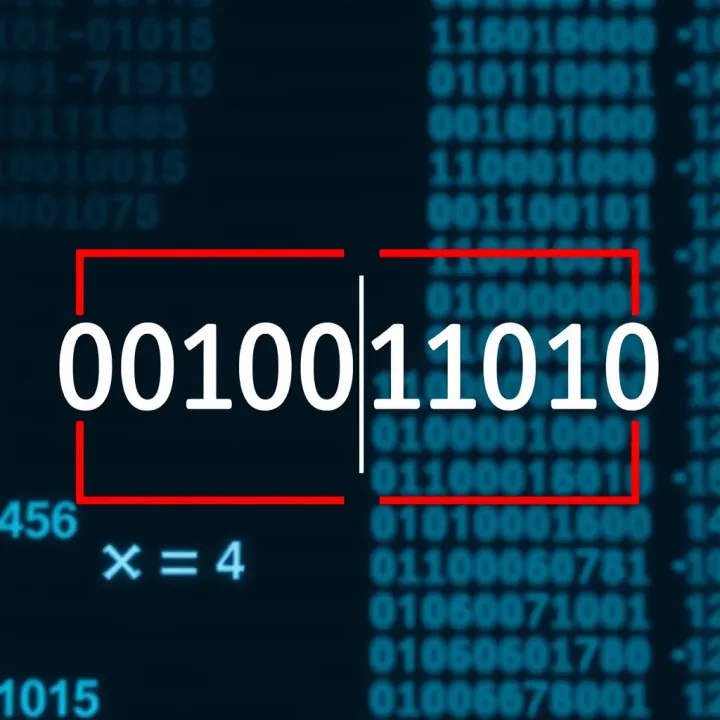
Learn how to add binary numbers step-by-step with useful examples 👍, avoid common errors 🚫, and master manual and digital methods—essential for computing in Nigeria 💻
Based on 13 reviews